← Back to Video Games
COURSEWORK - PROJECTS

CISC204 - Projects Overview

Overview of a few basic solo & team projects that showcase a variety of different skills using Godot.
Engine:
Godot
Course:
CISC204, UD
Projects:
5 (3 Solo, 1 Pair, 1 Team)

Course Overview

CISC204: Introduction to Game Development was a course built around learning game development in Godot through a series of small projects, each one focused on a different set of skills. Over the semester I made five projects, starting with three solo projects that covered the basics of the engine, scripting, and building systems like dialogue and saving, then moving into a pair project and a final team project that focused on working with other people on a shared game. Since the course was more programming focused than most of my other work, these projects were a big part of how I learned Godot, which I now use for my own games.

Projects

PROJECT 1 (SOLO)

Surprise Us!

This project was mainly for fun and to help gauge where everyone in the class was on a programming and game development level in the engine we were working in, Godot. We were tasked with making an interactive experience under 60 seconds, centered around a moment of surprise meant to make the player feel a specific emotion, while using Godot’s scene nesting and at least 10 types of nodes.

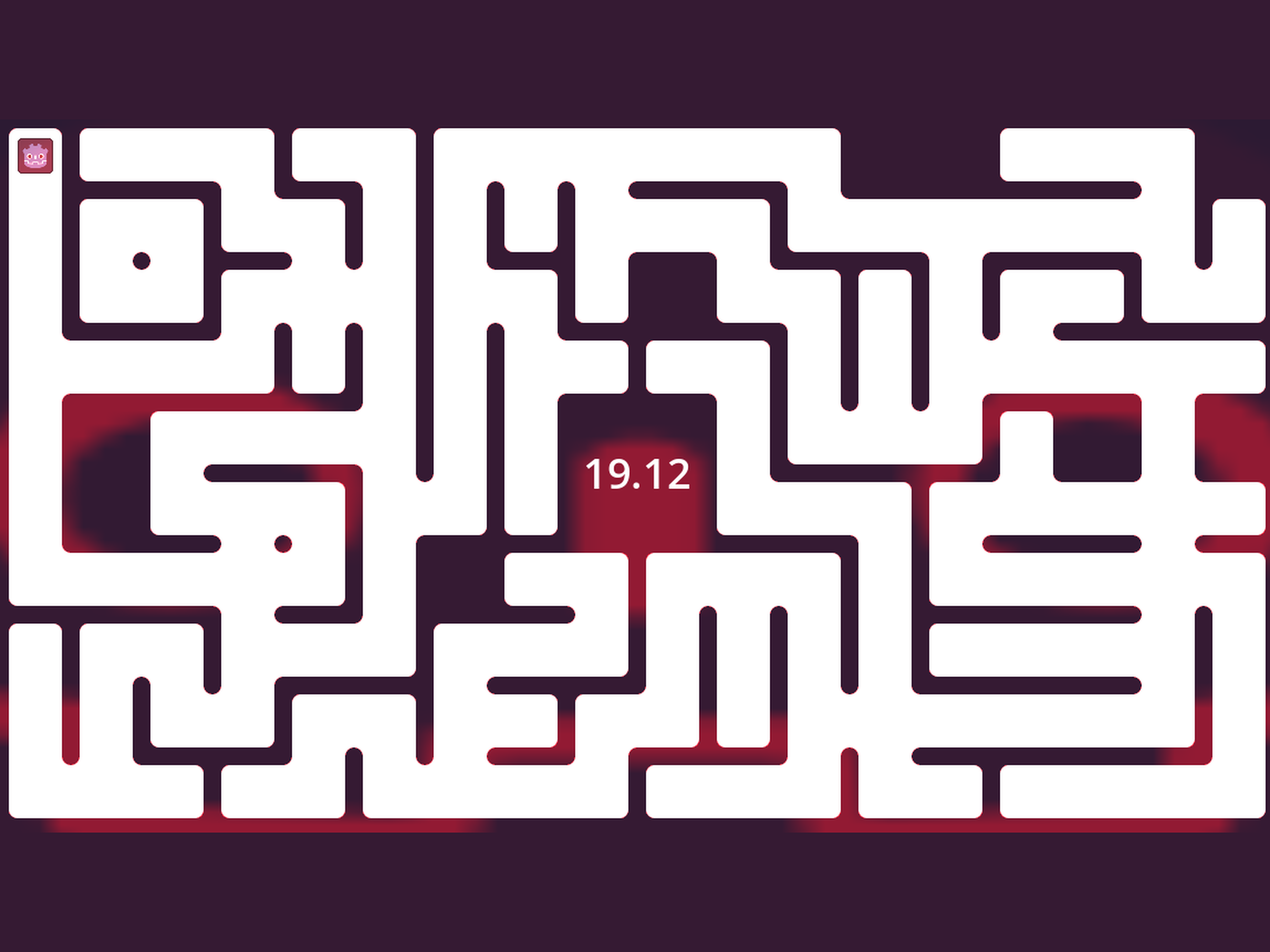
I took these requirements and made a short maze game where you’re racing a 30-second countdown to get through a circuit maze before it runs out. Through the flashing red light, the ticking timer, and a loud reactor beep, my intention was to instill a sense of urgency and fear of what would happen when the timer expired, so that the whole run feels like something is about to go wrong. When the time does run out, you’re thrown right back to the start of the maze to try again.

For the maze, I used a free asset pack, and for the player and the effects, I used the Godot logo built into the engine, with the reactor sound coming from Freesound. Getting to the 10-node requirement for such a small game was an initial challenge, which led me to add a flashing red Godot face that pulses in and out with a beeping sound on fixed intervals. That one effect added a light node, an AnimationPlayer, a timer, and an AudioStreamPlayer to the game, and it ended up being the thing that really sold the feeling I was going for.

What I learned: How much simple feedback like a flashing light, a ticking timer, and a loud beep can do to make a player feel urgency, even in a game that’s only 30 seconds long.

PROJECT 2 (SOLO)

Typewriter Effect

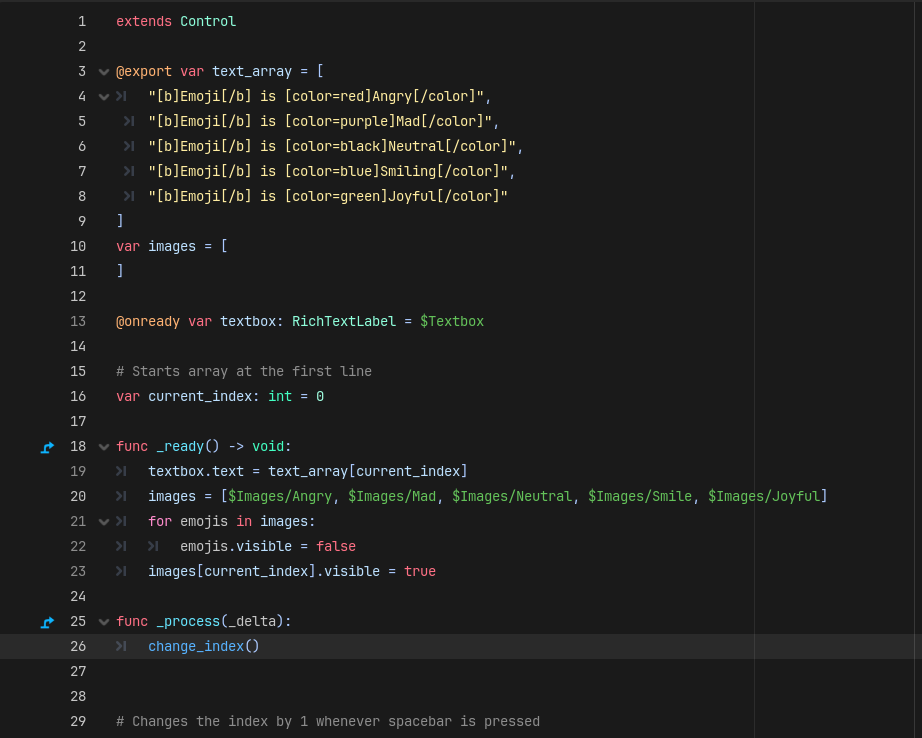
This project was more of a programming project than a creative one like the others. The goal was to build a reusable dialogue system in Godot from the ground up, in four parts: first, a text box that moves to the next line of dialogue whenever the player presses the spacebar, looping back to the start after the last line; then, a typewriter effect that types each line out one character at a time; next, support for rich text like bold, italics, and colored text; and finally, images that change in time with the dialogue.

The typewriter effect came down to a loop that builds each line one character at a time, with a short timer between characters so you can actually see it being written out. The trickiest part was getting that loop to work with rich text. Since tags like [b] and [color] are written right into the dialogue, the loop had to recognize when it was reading a tag instead of regular text, read through the whole tag instantly without displaying or pausing on it, and then go back to typing normally. For the last part, I matched each line of dialogue to an image, so as the player moves through the dialogue, the image updates right along with the text.

Visually it was nothing fancy. The images were five emoji faces going from angry to joyful, and each line’s colored word matched the mood of the face on screen. But the system underneath is something I now use as a template whenever I add a typewriter effect to my own Godot projects. As someone who mostly writes, it was really useful to understand how dialogue actually gets delivered to the player, since things like typing speed and emphasis change how a line reads just as much as the writing itself does.

What I learned: How to make a typewriter effect handle rich text cleanly, so styled dialogue types out the way players expect instead of flashing raw tags on screen.

PROJECT 3 (SOLO)

Create Your 'Character' Creator

For this project, we were asked to make a “character creator” with at least three elements the player could swap between at least three options each, built using data structures, with a way to save the player’s choices and load them back later. On top of that, one of the elements needed a control that changes how it looks, like its size or color, and works on every option in that category.

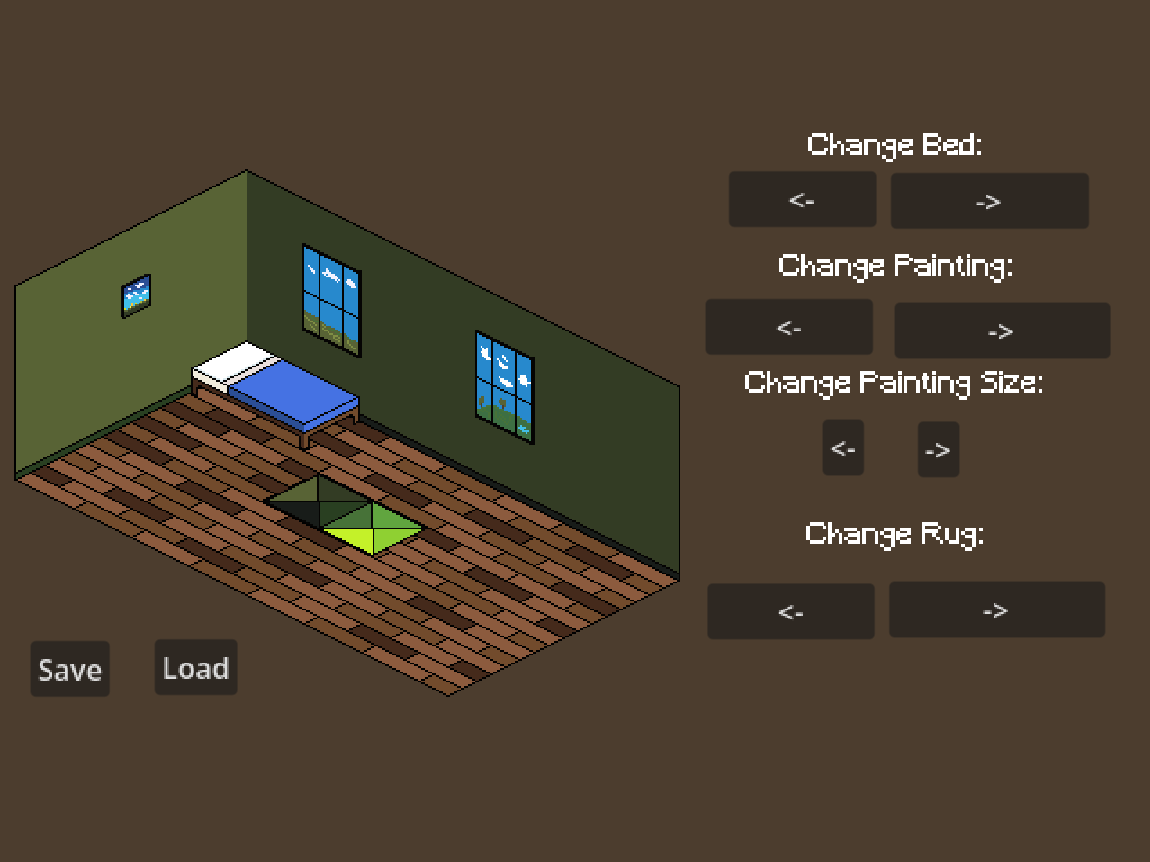
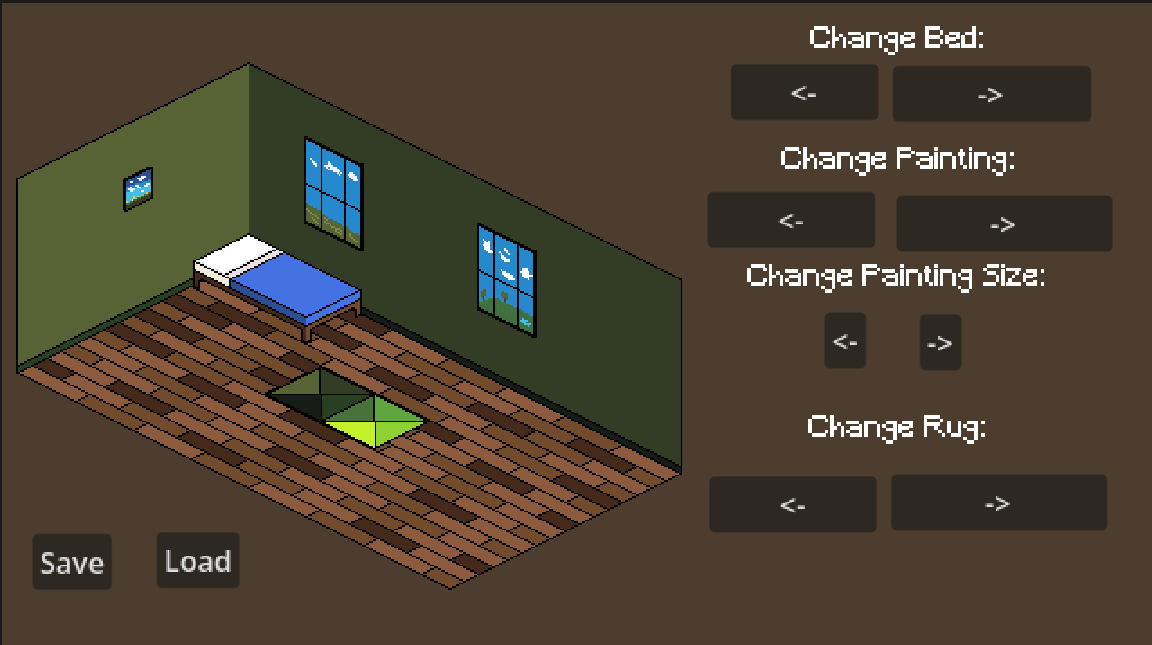
The assignment didn’t have to be an actual character, so I made a room customizer instead, where the player can swap between five beds, five paintings, and five rugs, and change the size of whichever painting they’ve picked. Each set of options is stored in an array, and the arrows loop back around when you reach the end, so the player can’t break it by clicking too far. Pressing Save stores the room as a three-digit code, and Load brings that room back. On top of the requirements, I added a main menu, background music ("Cafe de Bard" by Weird Existence Productions), and a pixel font to make it feel more like a finished game.

We were given a lot of creative control for this project, with extra credit for using original art. I’m not a very artistically inclined person, but I took this opportunity to start learning isometric pixel art, since it was an interest of mine for a personal project. Although the pixel art is very primitive, it was a start, and you can see how it evolved into my next project, Gone Home, where I did the art as well.

What I learned: The basics of isometric pixel art, from drawing the room to making sets of furniture that fit the same perspective, which I’ve kept building on since.

PROJECT 4 (PAIR)

Gone Home

This was the pair project of the course, and it was meant to test two things: interactables, and moving between rooms and scenes. The game needed an entry room, two side rooms, and a final room that stays locked until the player completes interactions in both side rooms, with at least four types of interaction and 20 points of interaction across the whole game.

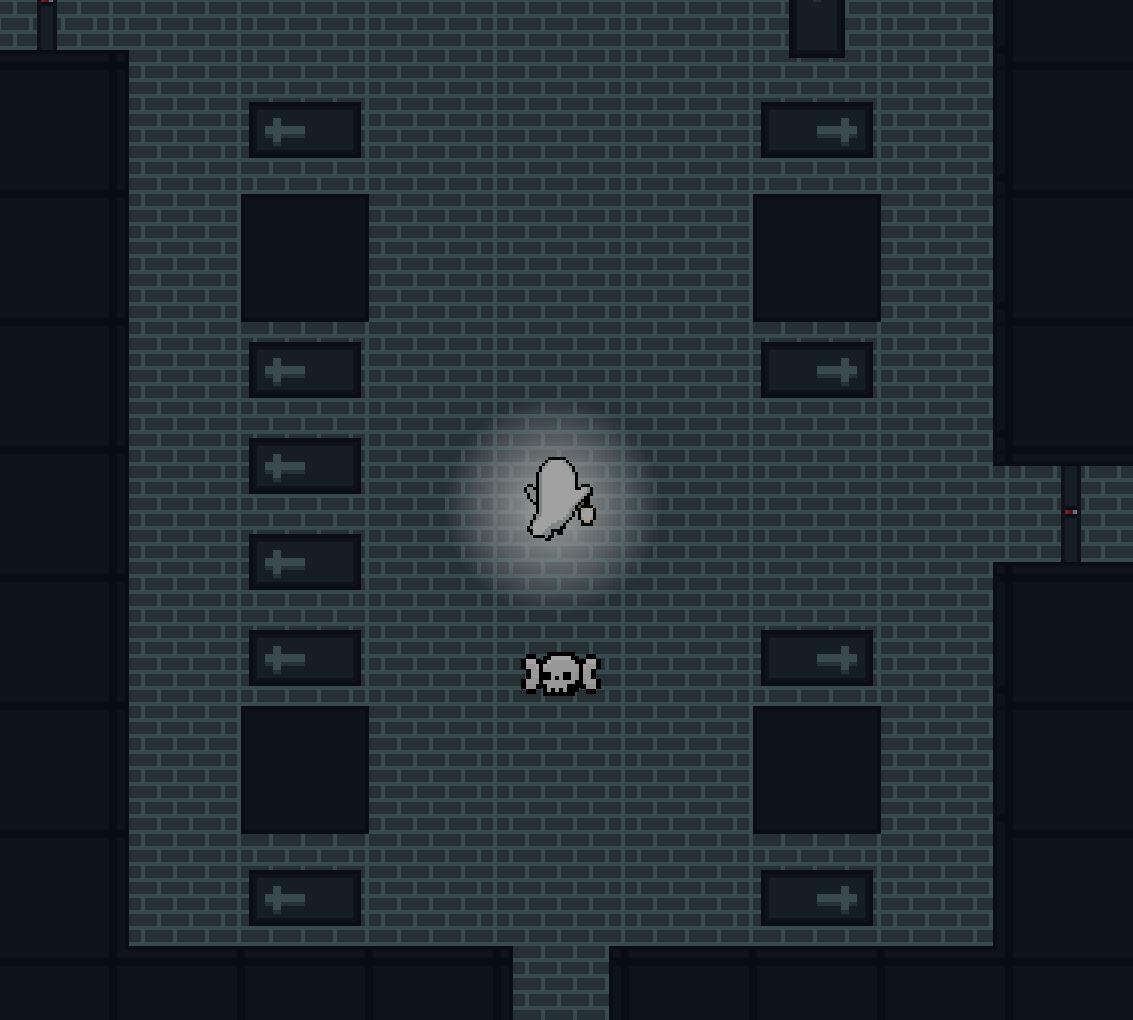
The story is that you play as a ghost exploring a tomb where you believe your body is buried. Throughout your search you run into quippy, sarcastic skulls, either lying around or hidden inside coffins, that you can talk to as you go. After pulling a lever to get into the tomb, the player has to search the coffins in the main hallway to find the levers that unlock the two side rooms. The room on the left has orbs scattered around and hidden in coffins, while the room on the right has a simple wall switch puzzle the player has to solve, with a hint on the wall and a little help from one of the skulls, to reach the rest of the orbs. Once the player has collected all 10 orbs and solved the puzzle, the final room at the end of the hall opens, and inside is a single coffin with no body in it, ending the game with the ghost never finding what they came for.

For this project, my partner Dawson focused more on the programming side, while I focused on the art and structure of the game, laying out the rooms and tilemaps and making most of the art. The exceptions were the ghost player character, which I downloaded off itch.io, the skulls, which my partner added, and the music, which is “The Cave” from Super Castlevania IV, though it’s swapped out in the itch.io build since it’s copyrighted. I also worked on some of the interactables myself, and wrote some of the skulls’ dialogue, which is where most of the story and humor comes from.

What I learned: How splitting a game between an art and design side and a programming side works in practice, and how much the layout of a room can push the player toward where they need to go next.
PROJECT 5 (TEAM)

All Together Now

Project 5 was the final project for the course, a 5-person team project where the prompt was to make a cooperative game for at least two players, where each player has a unique, asymmetrical role. Our answer was Sword Boy & Fairy Girl, a two-player platformer set in a series of mines. One player controls Sword Boy with the keyboard, running and jumping through each level to deliver a sword, while the other player controls Fairy Girl with the mouse, placing an entry and exit portal and dragging to aim which direction Sword Boy gets launched out of them. Since the portals only last a few seconds and can’t be placed just anywhere, the two players really have to talk to each other to get through each level.

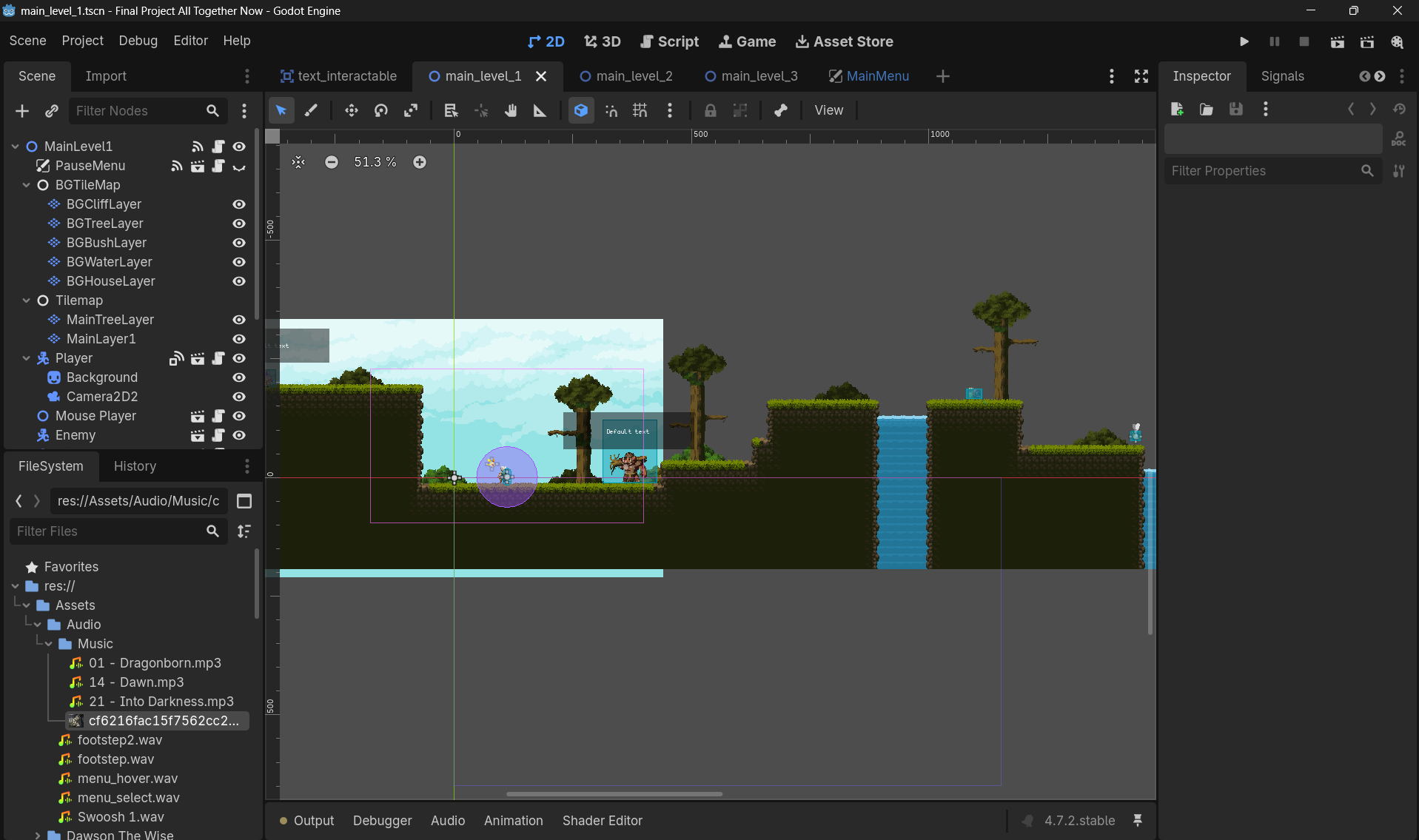
My role on this one was smaller than on the other projects, so I focused my time on a few specific parts. The biggest was the tutorial monster, a rude, sarcastic character who shows up in each level, and I wrote most of its dialogue. Instead of a plain list of controls, it teaches the players how the game works while insulting them the whole time, which gave the tutorial some personality and made it a running joke through the game. I also added the text interactable that the game’s characters use to deliver their dialogue. Outside of writing, I worked on the tilemapping for the first level and helped build out the third mine level, and on the programming side I tuned Sword Boy’s jump velocity and movement variables and touched up the kill box that kills the player when they fall out of the level.

What I learned: How to teach players the controls through a character’s dialogue instead of just a list of instructions, so the tutorial feels like part of the game rather than something in the way of it.

REFLECTION

What I Learned In This Course

I learned a lot about using GitHub and some of the key patterns in game development, like saving states (although in a very primitive way, without using JSON files), changing between scenes, interacting with objects, and working on a team. As someone who leans more toward design and writing, getting hands-on with how these systems actually get built has made me much better at designing around them.

How I'd Repurpose These Projects